TradingView alerts & webhooks
50M+
#1
1.5M+
10M+
TradingView charts, alerts and broker orders are different steps
A TradingView indicator or strategy can generate an alert when its conditions are met. A webhook sends that alert to another service. CrossTrade receives your order instructions and routes them to NinjaTrader 8 through its desktop add-on, or directly to a linked Tradovate account in the cloud. The strategy’s simulated trades do not become broker orders until that connection is configured.
For the product, pricing and setup steps, see TradingView automated trading with CrossTrade. The route you choose determines what must stay running: NinjaTrader 8 needs a connected Windows session; direct Tradovate routing does not need your computer or a VPS.
Can you copy trades from TradingView?
Yes, but first decide how the trade starts. A webhook alert can place orders on several accounts through multi-account placement, or trade a leader followed by a copier. Manual orders from TradingView’s Tradovate trading panel are different: CrossTrade’s Tradovate Execution and Order modes watch that leader account at the broker. Signal mode copies CrossTrade commands, not manual panel clicks.
If the accounts are connected inside NinjaTrader 8, use the NinjaTrader trade copier. Match your account route, sizing and exit behavior before enabling followers. Start with Sim or Demo accounts and verify a complete entry and exit.
Choosing where to chart or run strategy logic? Compare TradingView versus NinjaTrader 8, including the option to keep your signals in TradingView and route orders to NT8.
Pine Script
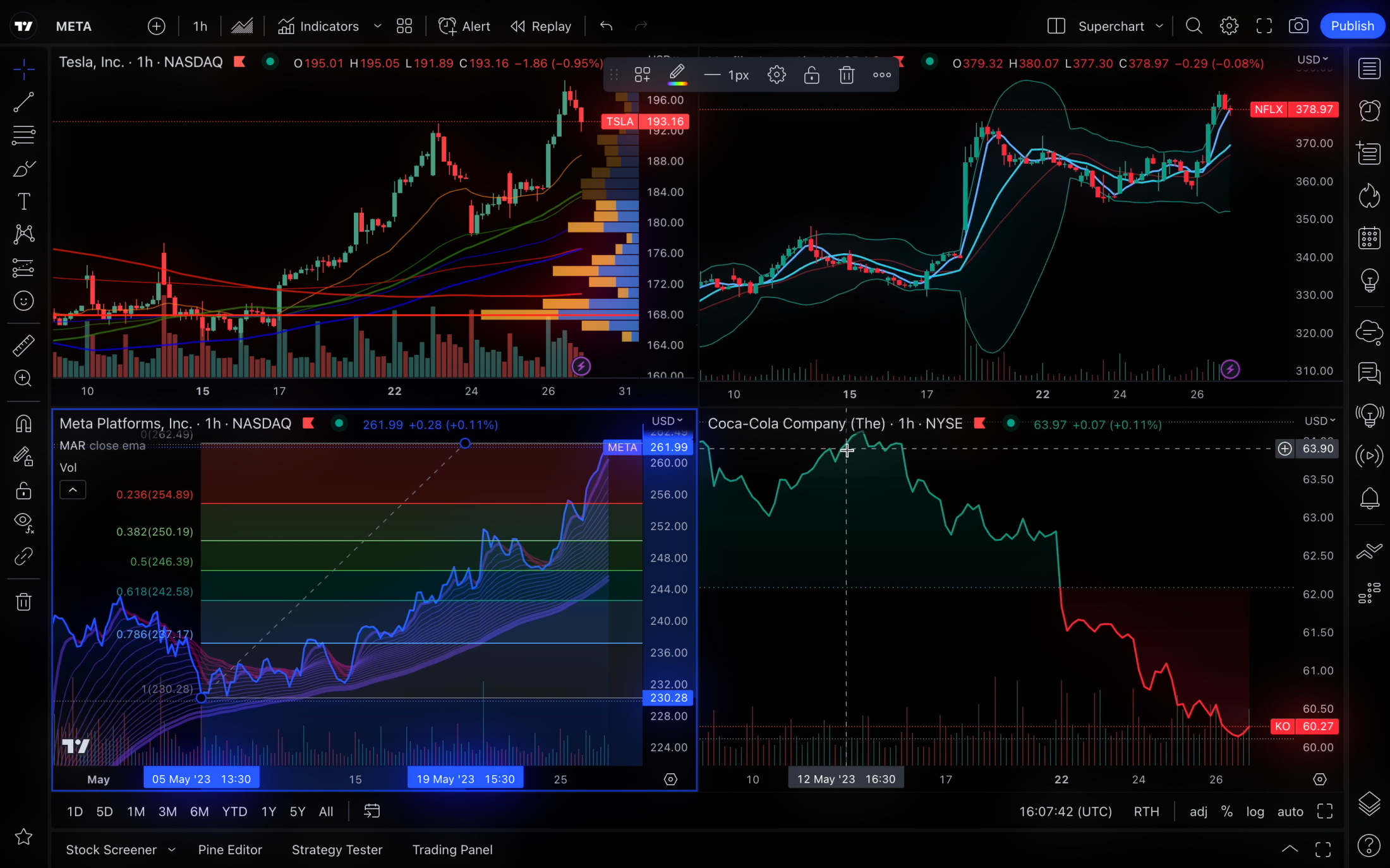
Pine Script, TradingView's proprietary scripting language, stands out as a powerful tool designed to meet the diverse needs of traders and analysts. Its unique capabilities enable users to create custom indicators, strategies, and alerts with remarkable ease and precision. Unlike many other trading platforms, TradingView offers an integrated development environment directly within its interface, making it seamless for users to transition from idea to implementation. This tight integration ensures that Pine Script can leverage the full potential of TradingView’s advanced charting tools and real-time data, providing a robust platform for technical analysis.
What makes Pine Script particularly special is its simplicity and accessibility. The language is designed with both novice and experienced programmers in mind, offering a syntax that is easy to learn while still being capable of complex functions. With a comprehensive library of built-in functions and a supportive community, users can quickly develop and deploy their scripts. Pine Script also supports backtesting, allowing traders to test their strategies against historical data to optimize performance before executing them in live markets. This combination of ease of use, versatility, and powerful features makes Pine Script an indispensable tool for anyone looking to enhance their trading experience on TradingView.
TradingView Alerts & Webhooks
TradingView offers a powerful alerting system that allows you to receive notifications when market conditions meet your specific criteria. Imagine getting an SMS alert right to your phone when a stock price crosses a key level, or a notification on your desktop when an indicator generates a buy signal.
TradingView alerts go beyond simple notifications. With webhooks, a feature available to higher tier plans, you can automate actions based on your alerts. Webhooks act like messengers, sending data from TradingView to another application whenever an alert is triggered. This opens up a world of possibilities. You could send trade execution commands to a broker, receive push notifications to a custom trading app, or even trigger sound alerts on your computer. Webhooks essentially turn your TradingView alerts into powerful triggers for automated actions, keeping you informed and potentially one step ahead of the market.
Visit Wikipedia for more on: Webhooks
Conditions
TradingView offers a powerful alert system that goes beyond just price notifications. You can receive alerts based on various conditions, including:
Price Movements
Get notified when a price crosses a specific level, goes above/below a certain value, or breaks through resistance/support levels.
Technical Indicators
Set alerts based on any pinescript TradingView indicator, including community-created ones. You can use predefined conditions or create custom triggers.
Check out our free TradingView Indicators!
Strategies
Receive alerts whenever a strategy executes an order.
Custom Drawings
Create trend lines, channels, and other drawings on your charts and get alerts based on price interaction with those drawings.
Sending Webhooks with CrossTrade
With CrossTrade sending your TradingView webhooks is simple. Select the condition type and add the correctly formatted message instructions into the Message field. On the notifications tab, you'll check the box for Webhook URL and supply your specific CrossTrade URL.
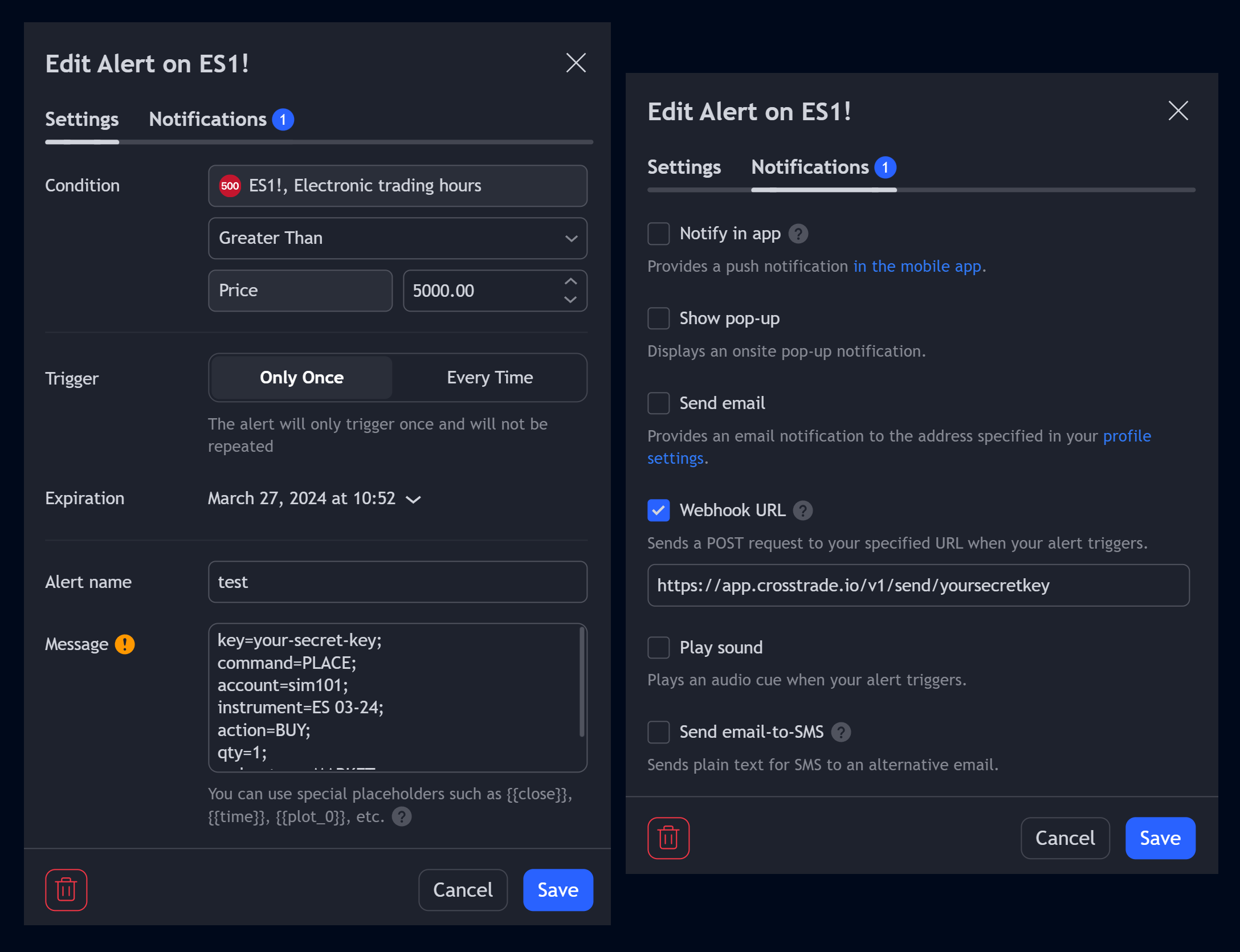
For detailed information on how to send TradingView webhook alerts and use dynamic strategy variables to automate your trading, check out our Help Docs!
Explore Free TradingView Education
Discover how to write smarter Pine Script code, automate trades, and streamline your entire TradingView workflow.
Pine Script v6 Code Examples
Pine Script v6 opens up powerful new ways to build, test, and share trading strategies on TradingView. In this post, we'll walk through practical v6 code examples—ranging from dynamic stop-loss setups to unique position sizing tactics... read more.
Using Pine Script Variables in Alerts
Master TradingView alert placeholders for indicators and strategies. Learn how to use {{ticker}}, {{strategy.order.action}}, and 20+ other dynamic variables to create powerful, automated alert messages... read more.
Pine Script Repainting Explained
Avoid misleading backtests caused by repainting in TradingView Pine Script. Learn what repainting is, why it happens, and how to prevent it using best practices like freezing stop-loss levels, confirming bars, and careful use of request.security()... read more.
Pine Script v6: An Exiting Update
Pine Script™ v6 is here, bringing powerful updates like dynamic data requests, optimized boolean logic, precise text formatting, and enhanced strategy management. With new tools and improved efficiency, this update unlocks smarter trading possibilities... read more.
Connect your TradingView alerts
Need a TradingView account too? Visit TradingView through our affiliate link. Webhook alerts require a paid TradingView plan and two-factor authentication.